v1.0.0 — macOS Sonoma+
Markdown
↔ Loop
A tiny macOS utility that converts your clipboard between Markdown and Microsoft Loop. One shortcut, both directions, nothing else.
⌘⏎
That's it.
A tiny macOS utility that converts your clipboard between Markdown and Microsoft Loop. One shortcut, both directions, nothing else.
## Sprint Review

- **API migration** complete
- Dashboard ~~delayed~~ shipped
- [x] Tests passing
- [ ] Docs updated

> Ship it.
Ship it.
No configuration. No accounts. No internet. Just your clipboard.
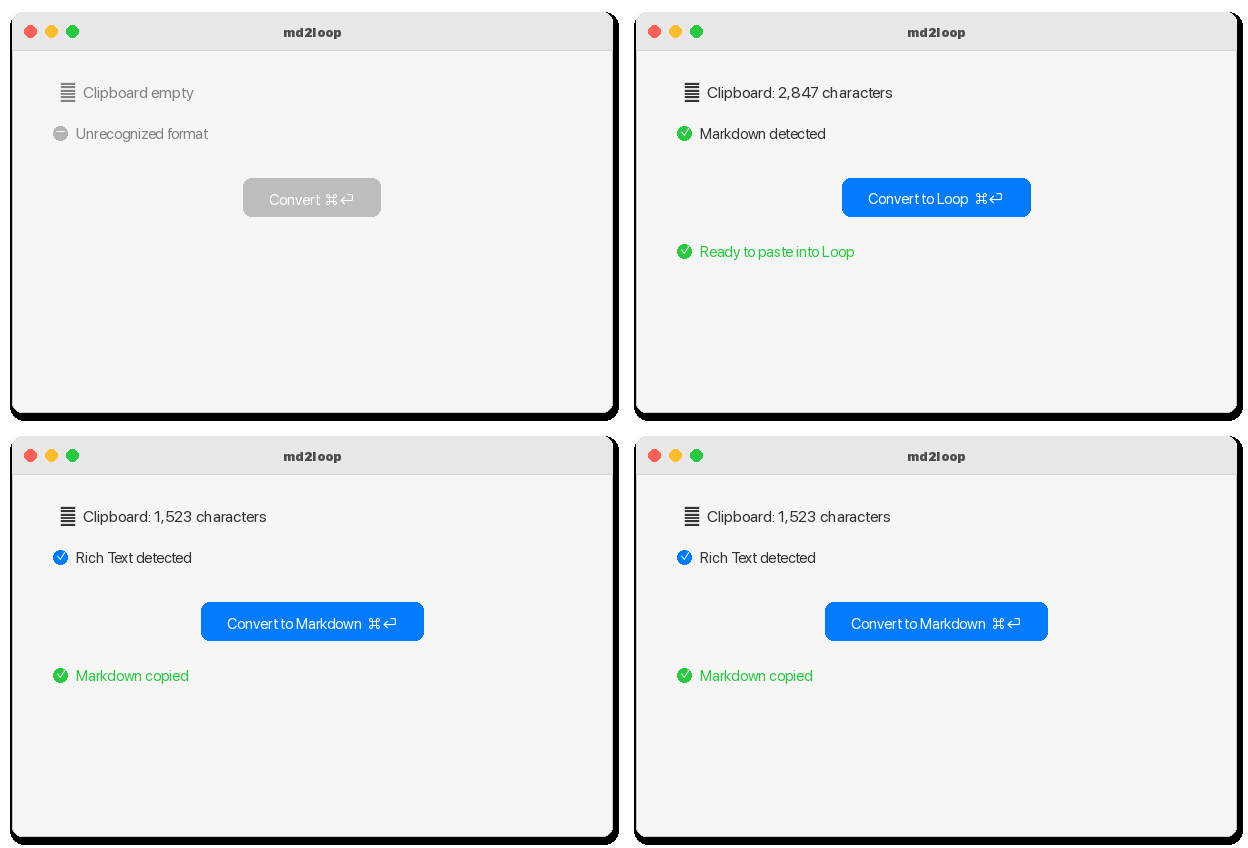
Auto-detects what's on your clipboard and does the right conversion. Markdown in? HTML out. Rich text in? Markdown out.
Markdown to Loop for pasting. Loop to Markdown for editing. Same app, same shortcut, both directions.
Sets HTML, RTF, and plain text on clipboard simultaneously. Maximum compatibility with every Microsoft app.
Native SwiftUI. No Electron, no web views, no runtime. Converts faster than you can lift your finger.
Headings, bold, italic, strikethrough, lists, tables, code blocks, task lists, links, blockquotes, images.
Everything happens locally on your clipboard. No telemetry, no cloud, no analytics. Your text stays yours.
Copy Markdown text or Loop content to your clipboard.
Press ⌘⏎ in md2loop. It auto-detects and converts.
⌘V into Loop, or any Markdown editor. Done.